

What does Node.js offer?
Node.js is a runtime environment that allows you to execute JavaScript code on the server side. This means you're no longer limited to traditional PHP-based solutions — you can now build and run modern, efficient backend applications using JavaScript. This is a huge advantage for developers who have previously worked only on the frontend and want to use the same language across the entire application stack.
Node.js is especially well-suited for applications that require asynchronous event handling — such as chat apps, real-time APIs, streaming platforms, notification systems, or Single Page Applications (SPAs).
What ss Node.js used for on hosting?
Hosting with Node.js support allows you to run your own applications based on this environment. You can:
- Build custom backends in JavaScript,
- Use popular frameworks like Express.js, Next.js, Nuxt, or NestJS,
- Manage dependencies with NPM and install thousands of available modules,
- Configure your app environment using environment variables and port settings.
This is an ideal solution for those who want to deploy modern web applications without the need for a VPS or dedicated server.
How to launch a Node.js application on WEBD.pl?
At this point, we would like to emphasize that the Node.js application on WEBD.pl servers is currently running in a test version.
Log in to your cPanel account.
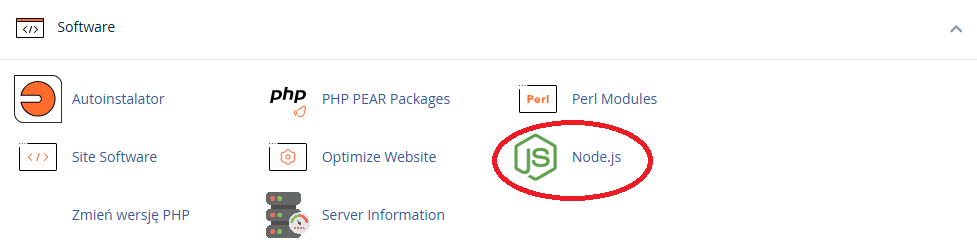
Go to the "Software" section and select "Node.js".
.
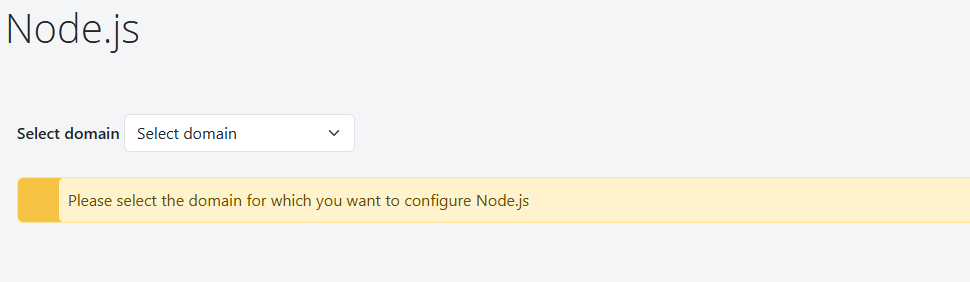
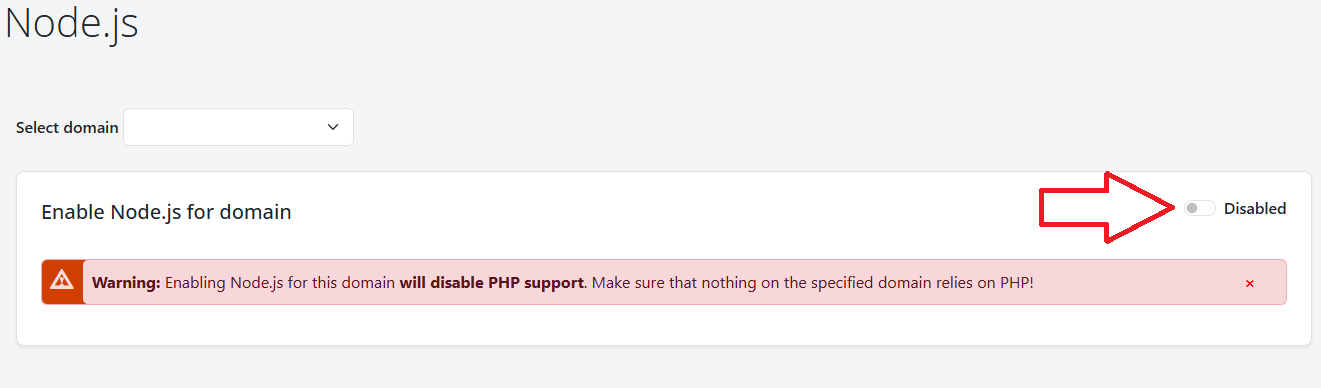
Choose a domain or subdomain, then switch the status from Disabled to Enabled.
Once activated:
- Manage the application lifecycle (Start, Stop, Restart),
- Install required modules using npm install via the interface or through SSH,
- A port number will also be displayed on the configuration page — you need to include this port in your application’s configuration, as this is how Node.js communicates with the server.
What should You pay attention to?
Initial startup time: The first time your Node.js app is launched, it may take a few minutes. During this time, if another website (e.g., PHP-based) was previously active on the domain, it might still display temporarily. This is normal — just give it a moment.
PHP is disabled: After enabling Node.js on a specific domain, traditional PHP files will no longer function in that directory. This means you cannot run both PHP and Node.js applications on the same domain simultaneously (unless you use subdomains or separate directories with independent setups).
Dependency management: Only update Node.js modules when necessary — some updates may introduce breaking changes that are incompatible with your current application.
Security: Do not expose sensitive configuration files (like .env) to the public and always ensure your Node.js version and libraries are up to date.
Node.js hosting on WEBD.pl with cPanel is an excellent option for those who want to use JavaScript not just in the browser, but also on the server side. Thanks to the easy-to-use control panel, you can quickly deploy a modern application without the need to rent an entire server. Just a few clicks and you're ready to build fast, efficient, and future-oriented web apps — all in your own way.