

On WEBD.pl servers, there are several ways to create a backup of your website.
For websites created using the Autoinstalator in cPanel:
-
In the Software section of cPanel, find 'Autoinstalator' (Auto-Installer)
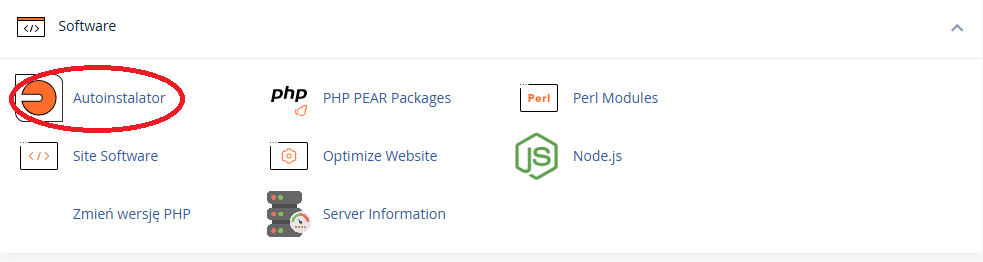
2a. For the website you want to back up:
- click the 'Kopia zapasowa' (Backup) button to create a ONE-TIME backup.
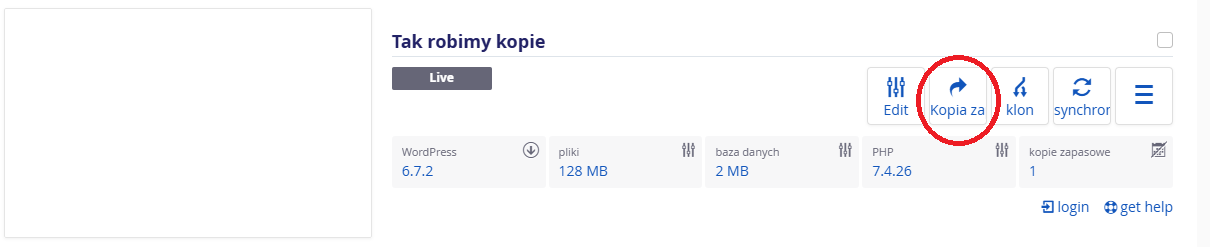
2b. For the website you want to back up:
- click the 'Edit' button, then go to 'Ustawienia' (Settings) > Auto-backup to configure AUTOMATIC backups.
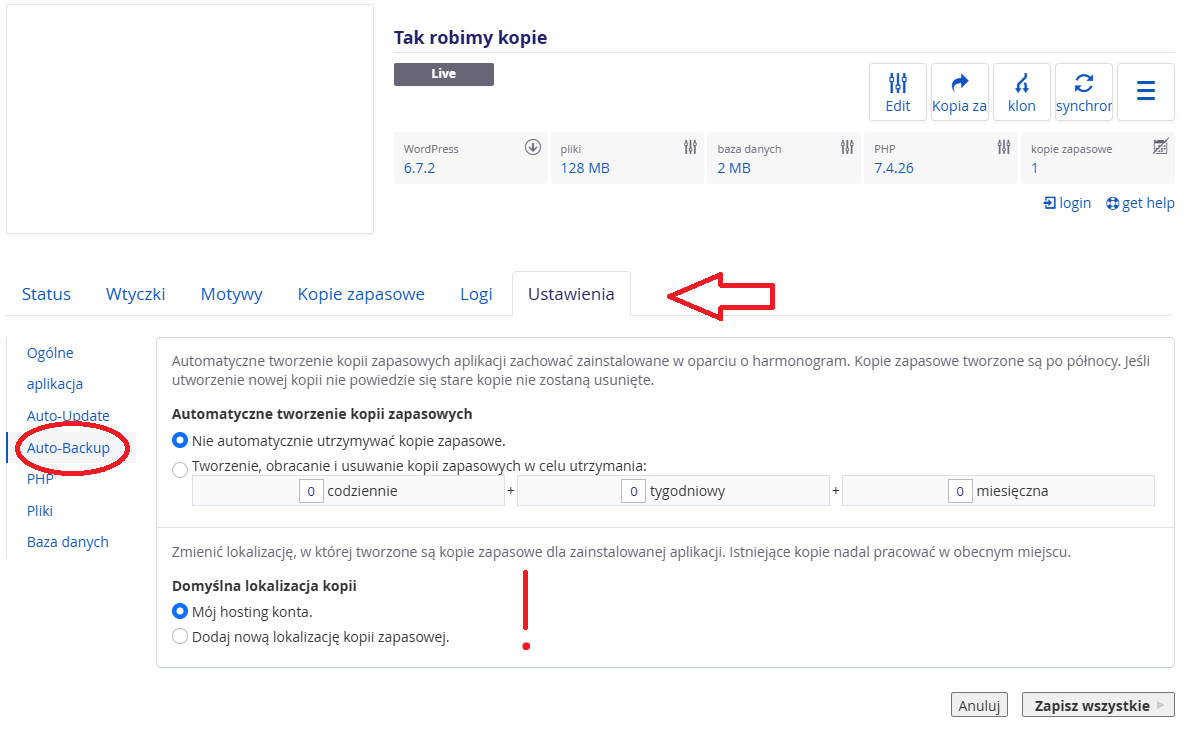
ATTENTION! If you choose 'Mój hosting konta' (My hosting account) as the backup location – the created backups will take up disk space on your hosting. Make sure you have allocated enough space when configuring the backup 😊
For websites created in any other way:
1. Copy to your drive or cloud the contents of the directory your website points to, using FTP.
2. If the website uses a database – use PHPMyAdmin to export that database.
ATTENTION! In this case, it is not possible to set up automated, scheduled system backups. The good news is – such a backup does not consume your hosting resources, provided the copied files and database dumps are not stored on your hosting account.
For full information:
Files on your hosting are automatically backed up to our servers and you can restore them with two clicks in cPanel. Check it out HERE.
Nevertheless, we recommend creating your own backup before making any significant changes to the website.